A companion app for Toggl Track
Remove the Time from Time Tracking
Stop entering time manually. Toggl Automatr tracks your meeting time automatically based on who you're meeting with.
Connects your calendar to Toggl Track and handles the rest.
The Problem
Manual time tracking doesn't work
You're in meetings all day. The last thing you need is another thing to remember.
Forgot to start the timer
Lost billable hours you can never recover
Stopped the timer late
Inflated time that looks unprofessional
Wrong project selected
Hours of cleanup at month end
Context switching
Too distracted to track accurately
What if your time tracked itself?
Automatr watches your calendar and logs time to the right project automatically.
The Solution
Time tracking that runs itself
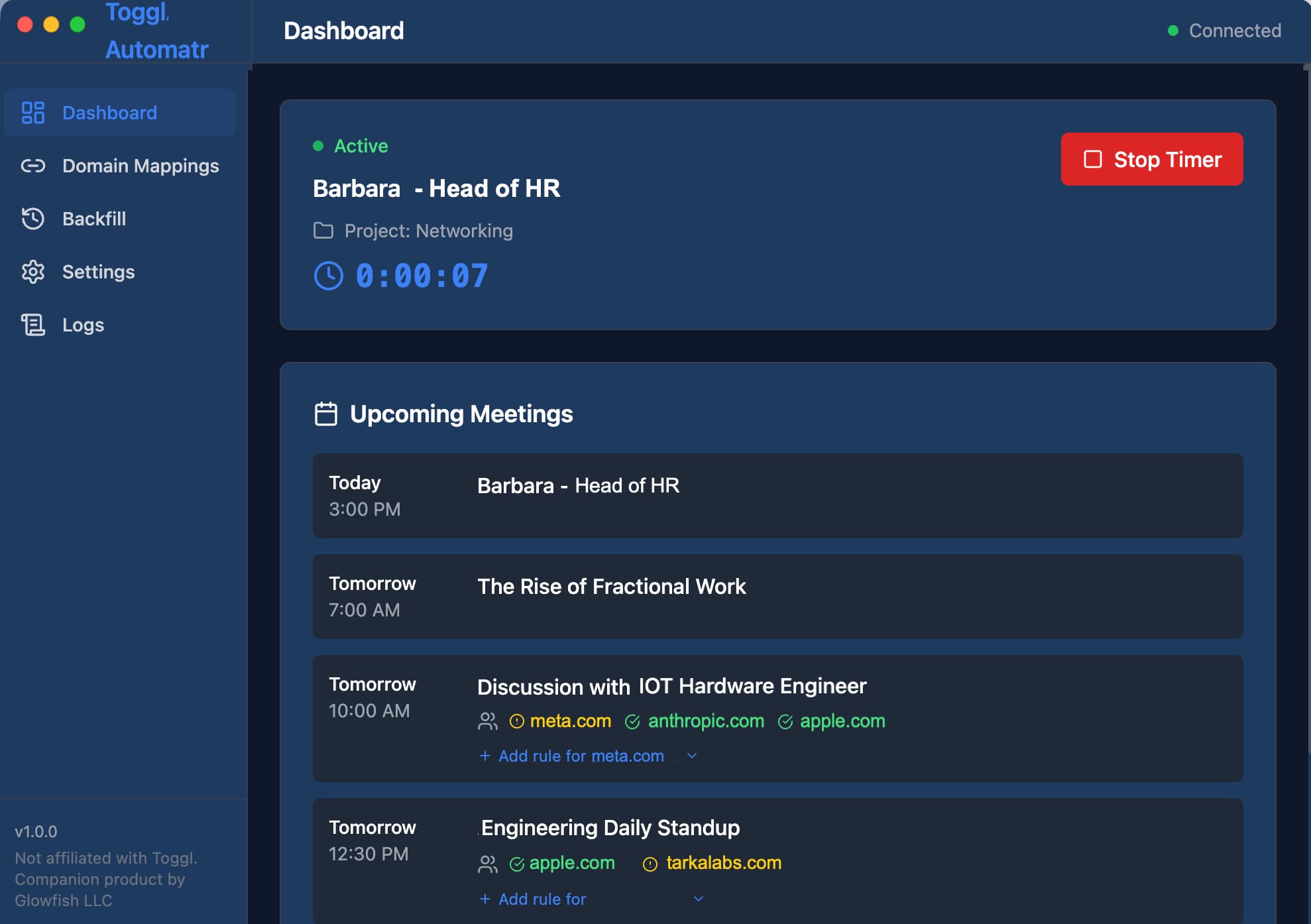
Automatr connects your calendar to Toggl Track and assigns time to the right project based on meeting attendees. Set it up once, then forget about it.
- Calendar Integration
- Works seamlessly with Microsoft 365 and Google Calendar. Your meetings are automatically detected and tracked.
- Smart Project Mapping
- Automatically assign Toggl Track projects based on meeting attendee domains. Client meetings go to client projects.
- Real-time Sync
- Timers start and stop automatically as meetings begin and end. No more forgetting to track time.
- Native Desktop App
- Runs quietly in the background on macOS and Windows. Set it up once and forget about it.
Simple, transparent pricing
One plan, everything included. Cancel anytime.
Toggl Automatr
$5/month
Billed annually ($60/year)
Everything you need to automate your meeting time tracking.
- Microsoft 365 & Google Calendar integration
- Unlimited calendar syncs
- Smart project mapping by domain
- Real-time timer management
- Backfill past meetings. Fast!
- macOS & Windows desktop app